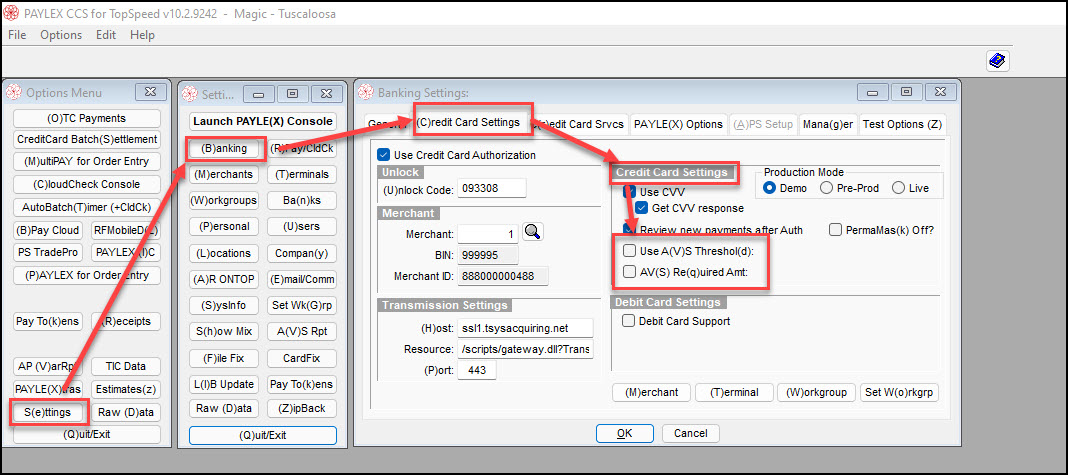
Options Menu>Settings>Banking>Credit Card Settings>Credit Card Settings
In the Credit Card Settings section, Turn OFF
- Use AVS Threshold
- AVS Required Threshold
Press OK to save the setting changes.
Options Menu>Settings>Banking>Credit Card Settings>Credit Card Settings
In the Credit Card Settings section, Turn OFF
Press OK to save the setting changes.