Each EMV Terminal belongs to a Workgroup.
Select the Workgroup for a terminal by going to Settings>Set W(k)grp.
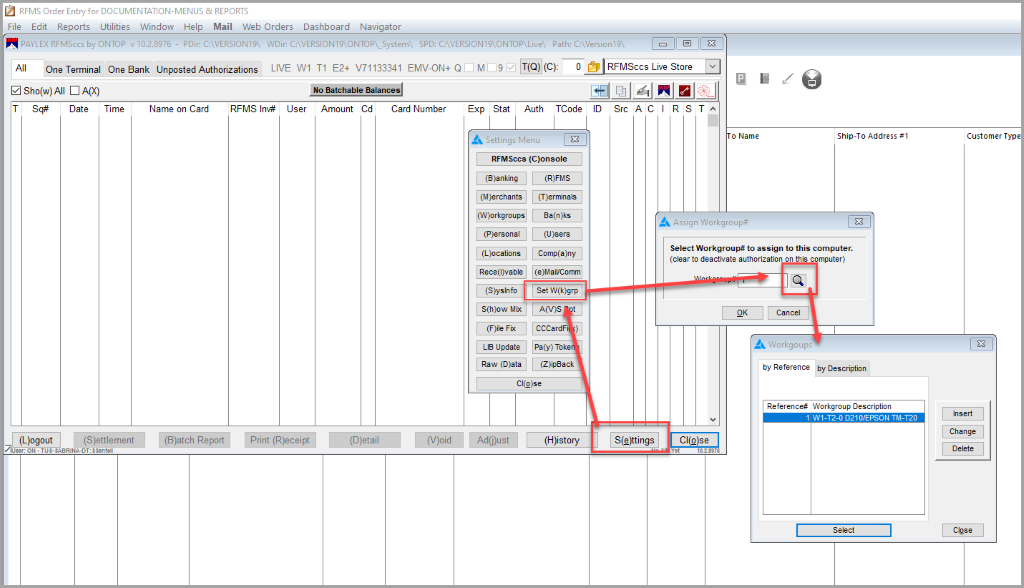
There should be a Workgroup for each EMV terminal.
When adding for a user, determine which workgroup that user should belong to, and then, use the “Set Workgroup” option to set the workgroup that the user will use.

Terminal 1 is reserved for Card Not Present and Token Transactions.
The EMV terminals start at Terminal 2.
So…
Workgroup 1 uses EMV Terminal 2, Workgroup 2 uses EMV Terminal 3, and so forth.