When this screen appears, either the Billing Address or the Billing Zip Code is incorrect.
The best rate for a "card not present" transaction is when either the Billing Address or Billing Zip Code is correct; therefore, checking to make sure the information is correct is important.
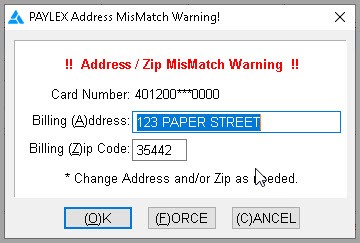
Click Ok after corrections are made.
If wanting to push the transaction through regardless of Address Verification, click Force.
Cancel is used if you do not have a correct address, and confirmation with the cardholder is needed.
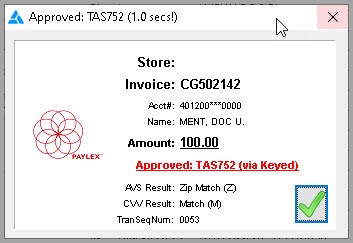
If the Address is correct or corrected, then on the Approved screen, it will relay what was matched and display a green check. In the screenshot below, the Zip Code matched.