Code-signing certificates, as issued by Comodo/Sectigo, are sent in ".crt" format. We need the file in ".pfx" format, so it can be used with the Comodo Code-Signing Tool.
The Comodo Conversion Tool does the trick (see below). It creates a PFX using the "Issued Certificate" and the "Private Key", which was generated during the creation of the "Certificate Signing Request" (
See Article: "Code Signing Certificate (Pt 1): Creating the Certificate Signing Request")
Go to https://www.sslshopper.com/ssl-converter.html
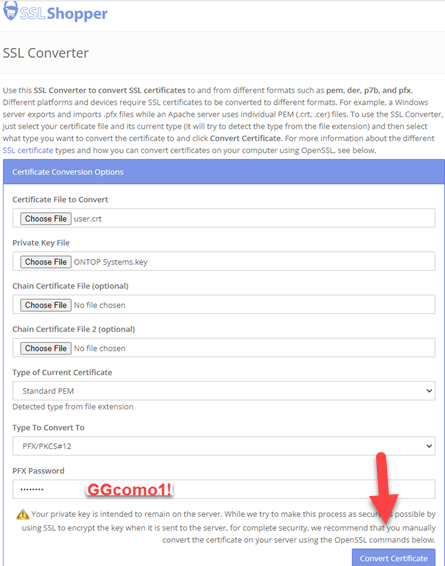
After pressing the "Convert Certificate" button, the new PFX file should be saved as v:\apps\comodo\ontopsystems.pfx.
It should be archived as v:\apps\comodo\ontopsystems20230505.pfx (*Substitute the current certificate issue date in the file name)